How To Navigate Your Merlua Dashboard
GETTING STARTED / DASHBOARD
Understanding Your Merlua Dashboard
Get familiar with your Merlua workspace and learn where to find the tools you need to manage your salon's day-to-day operations.
OVERVIEW
Your salon's workspace, all in one place
When you sign in to Merlua, your dashboard gives you access to the tools available for your role. From managing appointments to organizing clients and services, your workspace helps you keep everyday salon operations organized.
EXPLORE YOUR DASHBOARD
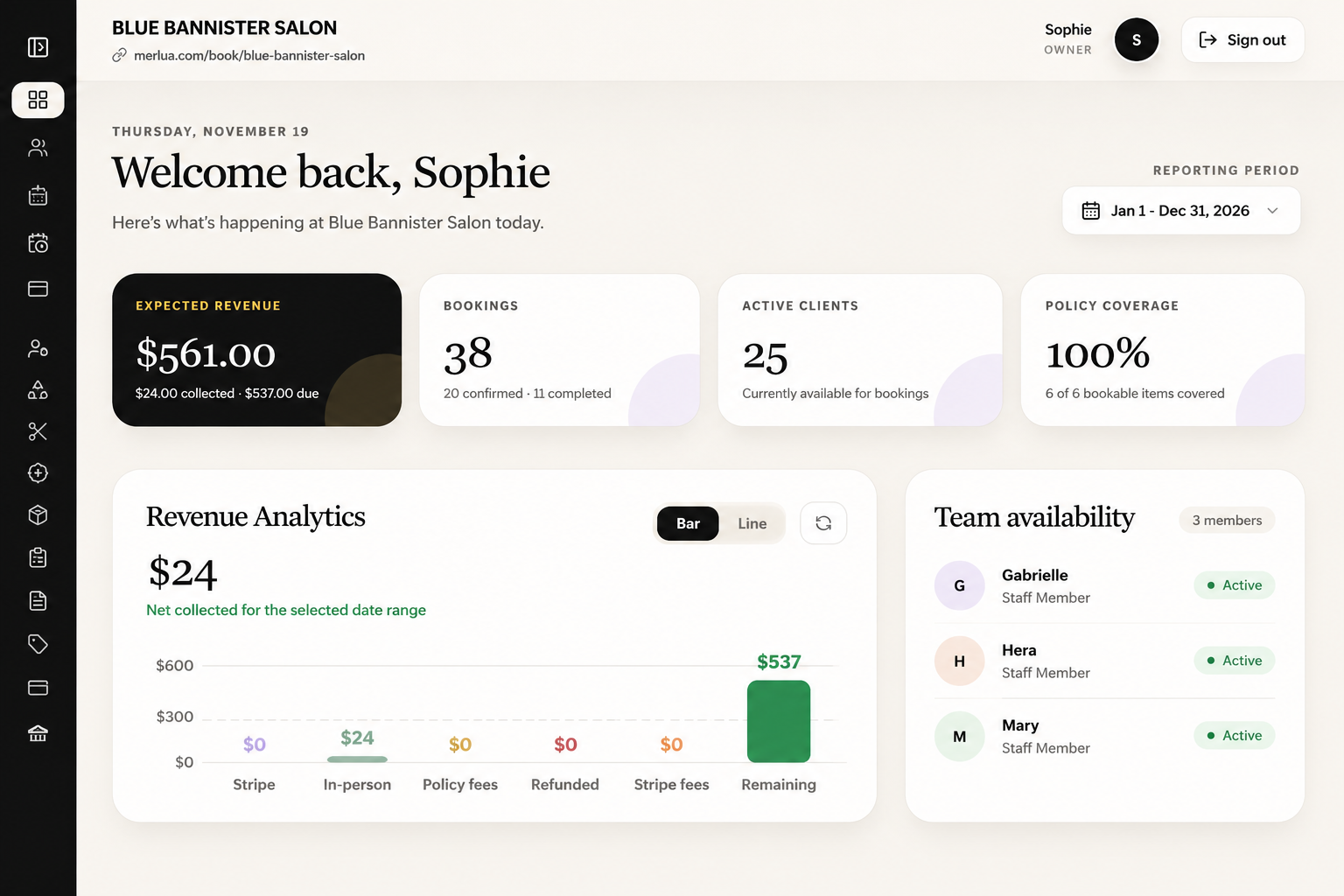
Use your dashboard navigation to access the different areas of your salon workspace.
MAIN NAVIGATION
Find what you need
Calendar & Appointments
View scheduled bookings, create appointments, and manage changes to your calendar.
Clients
Access client profiles, contact information, appointment history, notes, and tags.
Services
Manage your salon's treatments, service categories, prices, and durations.
Team Members
Manage staff information, assign services, and review team availability.
Waitlist
Review clients waiting for appointment openings and manage waitlist requests.
Settings
Update your salon's business information and configure available booking settings.
Why does my dashboard look different?
Merlua displays navigation options and actions according to your assigned role and permissions. Salon owners, managers, receptionists, and service providers may have access to different features. If you cannot see a particular option, contact your salon administrator to review your access.
NEXT STEP
Configure your salon's working hours
Now that you know your way around Merlua, the next step is to configure your salon's working hours and holidays. This helps establish when your business operates and supports accurate appointment scheduling.
Keep going
Related tutorials
Was this guide helpful?
Tell us — it helps us make these better.