How to Create and Manage Service Categories in Merlua
SERVICES / SERVICE CATEGORIES
How to Create and Manage Service Categories in Merlua
Organize your salon's treatments into clear categories, making your services easier to manage and helping clients find what they're looking for when booking online.
OVERVIEW
What are service categories?
Service categories are groups that help you organize similar treatments. For example, you might create categories such as Nails, Lashes, Brows, or Hair Services.
Each category can contain multiple services. In Merlua, you must create a category before you can add a service, because every service must be assigned to an existing category.
STEP BY STEP
Create and manage your categories
Follow these steps to create your first category and keep your service menu organized.
Open Service Categories
Sign in to your Merlua dashboard and navigate to Service Categories.
Here, you'll find your existing categories, the number of services linked to each category, and options to create, edit, or delete categories.
WHAT YOU'LL SEE
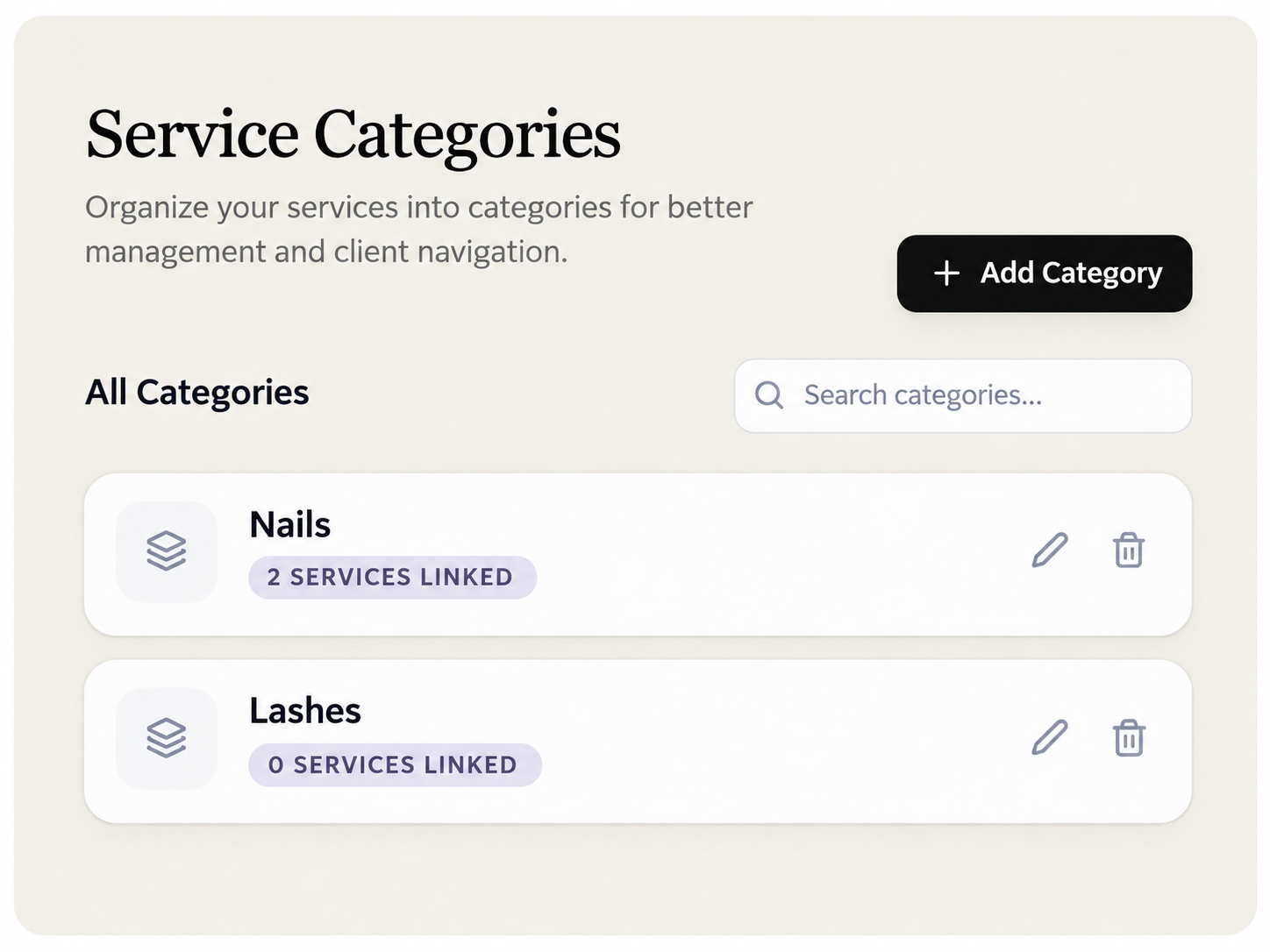 View existing categories and see how many services belong to each one.
Create a new category
Click + Add Category to open the New Category form.
Enter a descriptive name in the Category Name field. For example, you might enter "Nails" or "Lashes".
Click Create Category to save it. The category will then be available when you create services.
WHAT YOU'LL SEE

Enter the category name and select Create Category.
Tip: Use short, recognizable category names. Clients will see these names when browsing your services on the booking page.
Edit an existing category
To rename a category, find it in your category list and click the pencil icon.
The Edit Category window will appear.
Update the category name and click Update to save your changes.
WHAT YOU'LL SEE

Change the category name and save the update.
Delete a category
If you no longer need a category, locate it on the Service Categories page and click its delete icon.
Review any linked services before deleting the category. If services are still assigned to it, move them to another category first or follow the restrictions shown by Merlua.
Important: Categories are required for services
Every service in Merlua must belong to an existing category. Create your categories first, then add the services you want to offer. You can organize multiple treatments under the same category.
FREQUENTLY ASKED QUESTIONS
Common questions
Can I create a service without a category?
No. You must select an existing category when creating a service in Merlua.
Can one category contain multiple services?
Yes. For example, a Nails category can include gel manicures, pedicures, and acrylic nail services.
Can I rename a category later?
Yes. Click the pencil icon beside the category, update its name, and save the changes.
NEXT STEP
Start adding your salon services
With your service categories ready, you can now create individual treatments, configure their duration and pricing, and manage additional service settings. Continue with our guide on How to Create and Manage Services in Merlua.
Keep going
Related tutorials
Was this guide helpful?
Tell us — it helps us make these better.