How to Set Up Payments in Merlua
Merlua lets you connect your Stripe account so your salon can accept online payments from client bookings and receive payouts directly to your connected bank account.
Upgrade Your Plan Before Connecting Stripe
Before connecting Stripe, make sure your Merlua account is on an eligible paid plan. Stripe payments are not available on the Free plan.
If you are on the Free plan, click Upgrade Plan and choose an eligible subscription. Once your plan has been upgraded, you can return to Setup Payments and continue with the Stripe connection.
1. Open Setup Payments
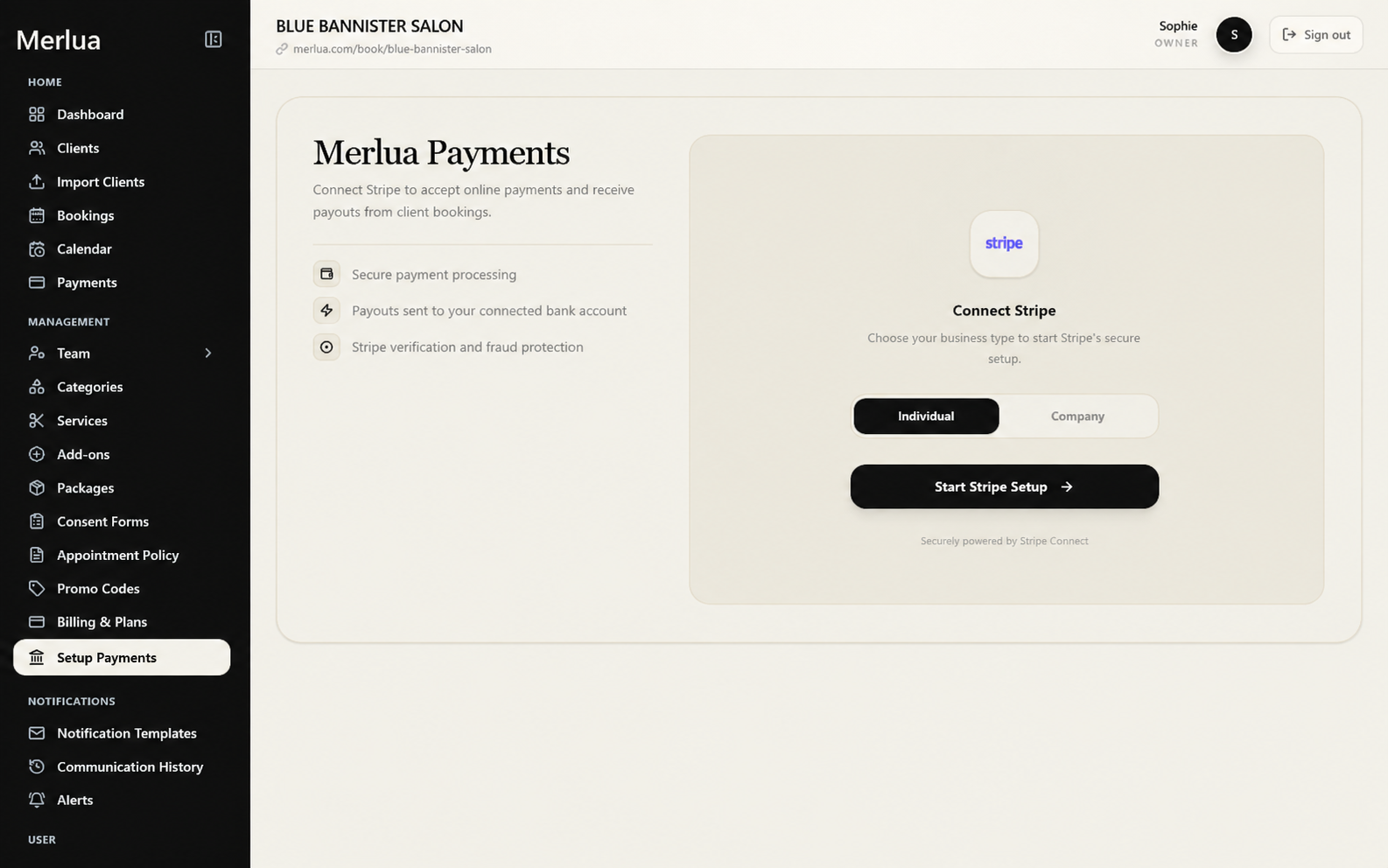
From your Merlua dashboard, go to Management in the left sidebar and select Setup Payments.
The Setup Payments page is where you connect Stripe and complete the payment setup for your business.
2. Review Merlua Payments
On the Setup Payments page, you will see information about how payments are handled through Merlua.
Merlua uses Stripe to provide secure payment processing, send payouts to your connected bank account, and support Stripe's verification and fraud protection.
3. Choose Your Business Type
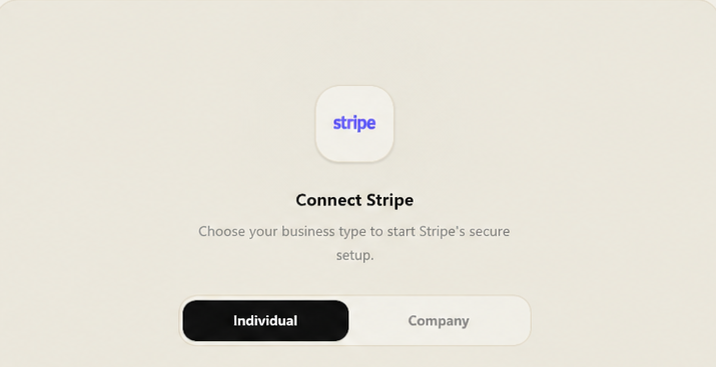
Under Connect Stripe, choose the business type that applies to you.
- Individual – Select this if you are setting up Stripe as an individual.
- Company – Select this if you are setting up Stripe for a company.
4. Start Stripe Setup
After selecting your business type, click Start Stripe Setup.
This will begin the Stripe setup process. Follow the instructions provided by Stripe to complete the required account and verification information.
5. Complete Your Stripe Setup
Finish the Stripe onboarding process and provide the information requested by Stripe. Stripe may require additional verification before your account can accept payments and receive payouts.
6. Start Accepting Payments
Once your Stripe connection and verification are complete, your business can use the connected payment account to accept online payments from eligible client bookings.
Payments and payouts can then be managed through the relevant payment sections in your Merlua dashboard.
Before You Start
Make sure you have the information required to complete your Stripe setup and that you select the correct business type. Completing Stripe's verification process is required before payment functionality can be fully enabled.