How to Use SMS Notifications
Merlua lets you use SMS to keep clients informed about their appointments, deposits, payments, reminders, cancellations, and other important updates. SMS is managed through your salon's notification settings and uses prepaid SMS credits.
1. Choose Your SMS Notification Preference
Open your notification settings and choose how your salon wants to communicate with clients. You can use Email Only, SMS Only, Email and SMS, or disable notifications.
Your selected communication mode determines whether eligible notifications are sent by SMS, email, or both.
2. Purchase SMS Credits
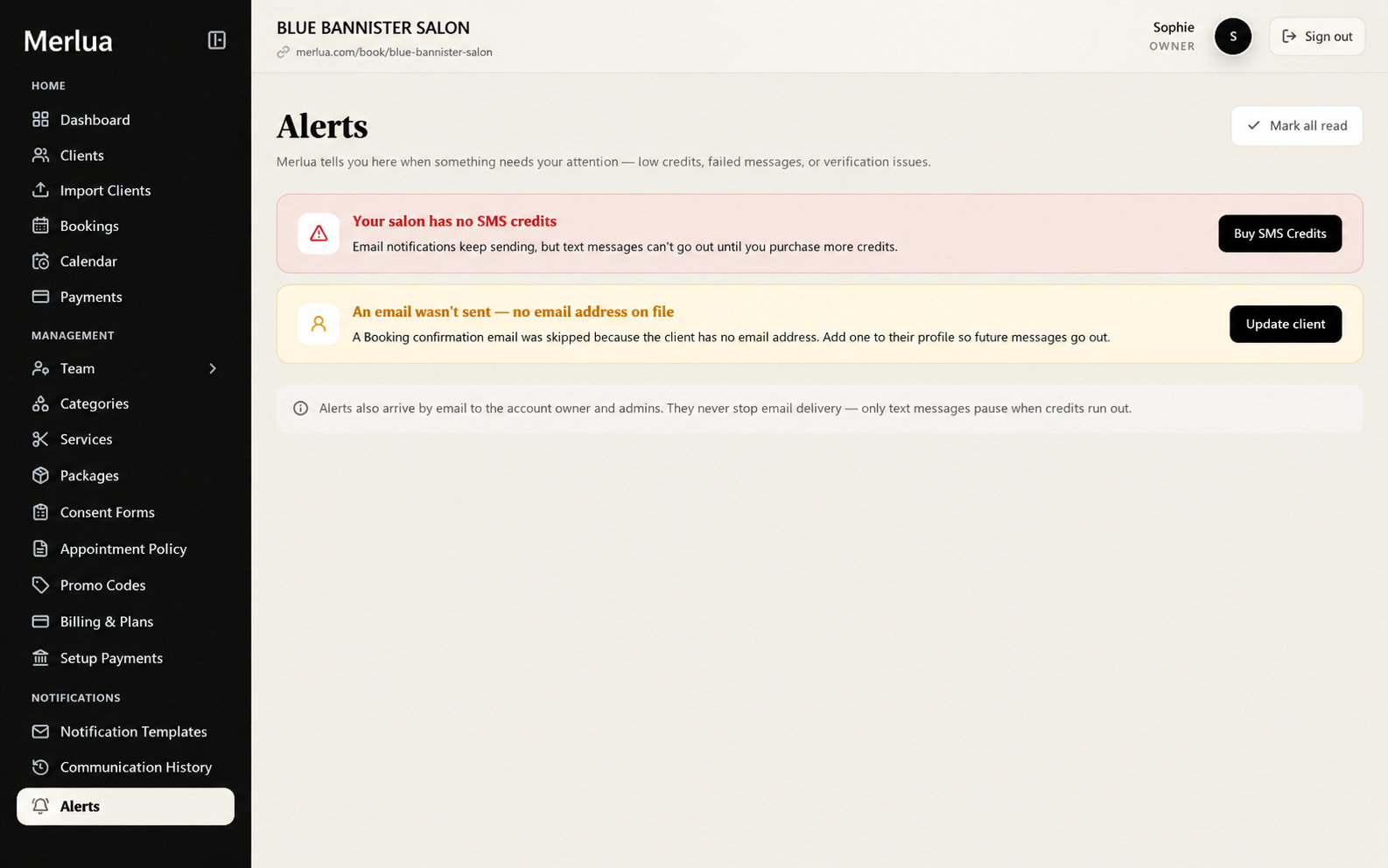
SMS messages require SMS credits. If your salon runs out of credits, text messages cannot be sent until additional credits are purchased. Email notifications can continue to be delivered.
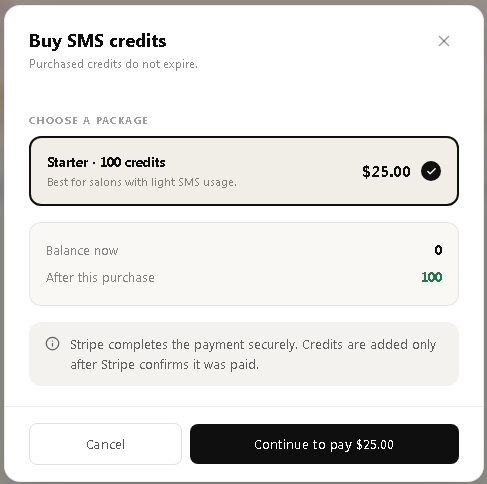
When purchasing credits, Merlua shows your current balance and the balance you will have after the purchase. Purchased credits do not expire.
3. Keep Client Mobile Numbers Updated
SMS notifications can only be sent when the client's profile contains a mobile number. If a booking needs an SMS notification but no mobile number is available, the message cannot be sent.
Keep client contact information up to date so appointment communications can reach the right person.
4. Use SMS for Appointment Communications
Depending on your notification settings and the appointment, Merlua can send SMS messages for important events such as:
- Booking confirmations
- Booking-link invitations
- Pending appointment updates
- Deposit requests and reminders
- Deposit confirmations
- Appointment reminders
- Rescheduling and appointment updates
- Cancellations
- Payment receipts and payment updates
- Refund notifications
- Cancellation and no-show fees
- Waitlist notifications
5. Understand Appointment Reminders
Merlua's notification system includes scheduled appointment reminders. The documented reminder schedule includes a 2-day reminder, a 24-hour reminder, and a 12-hour reminder for short-notice bookings.
For appointments created less than 2 hours before the appointment begins, the system sends a confirmation rather than relying on the normal reminder schedule.
6. Monitor Your SMS Balance
Keep an eye on your available SMS credits. Merlua provides low-balance alerts so you can add credits before your salon's SMS notifications are interrupted.
The system also provides SMS usage information, including credit usage and estimated usage based on message length.
7. Check Communication History
SMS activity is recorded in Merlua's communication history. You can use this history to review communication activity, delivery status, and credits used.
If a message fails to send, the communication history and notification alerts can help identify the issue.
8. What Happens When SMS Credits Run Out?
If your salon has no SMS credits, Merlua displays an alert and SMS delivery pauses. Email notifications continue to work, so important communications are not automatically stopped altogether.
Purchase additional SMS credits to resume text-message delivery.
Keep Client Communication on Track
SMS is designed to help salons keep clients informed without requiring staff to manually send every appointment update. Configure your notification preference, maintain accurate client phone numbers, keep enough SMS credits available, and review communication history when you need to check delivery.