How to Create and Manage Promo Codes in Merlua
Promo codes let you offer discounts to clients when they book your services. You can create promotional offers, define the discount amount, and control how and when each code can be used.
1. Open Promo Codes
From your Merlua dashboard, go to Management in the left sidebar and select Promo Codes.
This is where you can view your existing promo codes and create new ones.
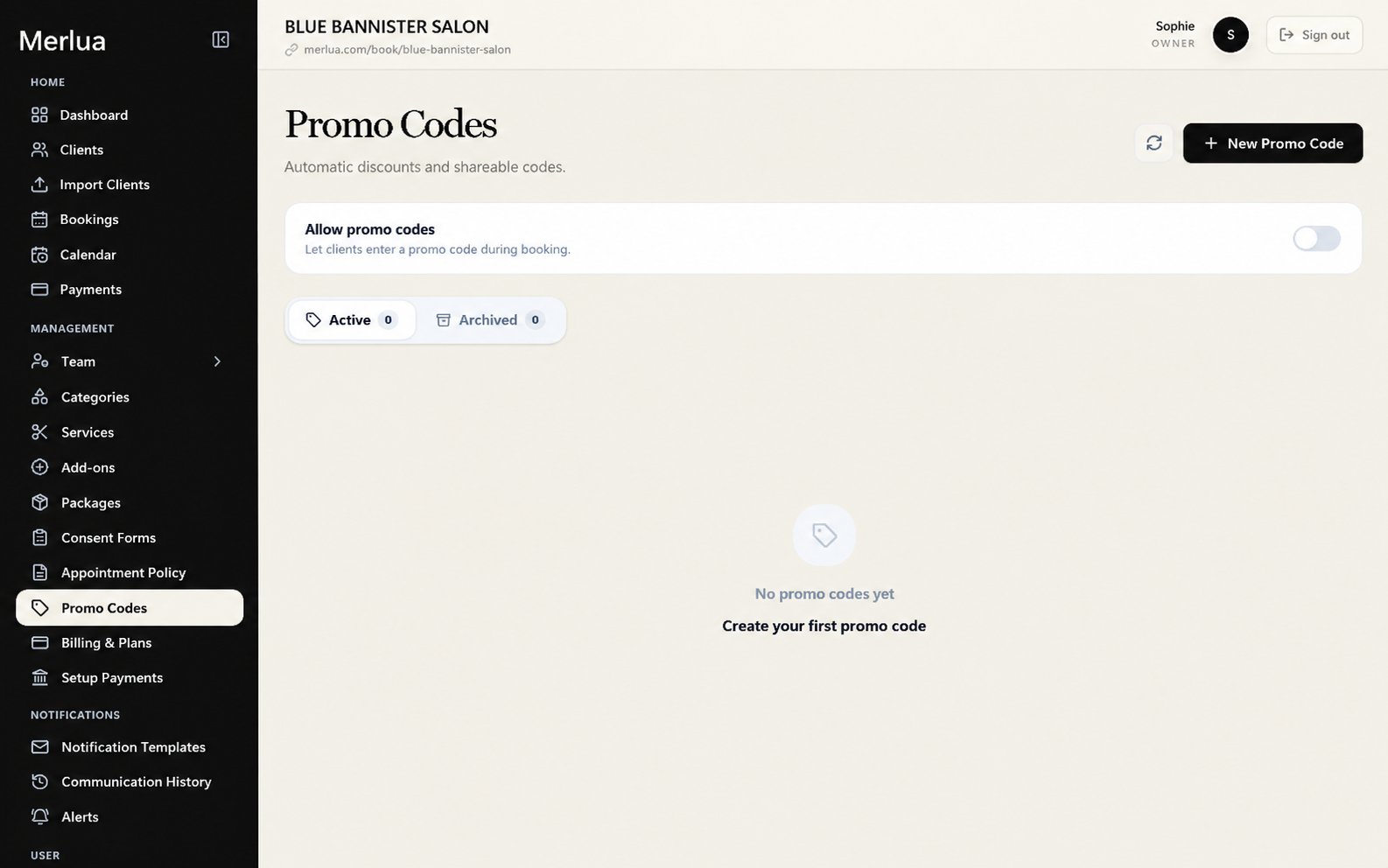
2. Create a Promo Code
Click Add Promo Code to create a new promotion.
Enter the code that clients will use when booking. For example: WELCOME10
Keep the code short and easy to remember.
3. Set the Discount
Choose the type of discount you want to offer. You can provide a percentage discount or a fixed amount.
- 10% off
- $10 off
Set the discount that should be applied when the promo code is successfully used.
4. Set the Promo Code Rules
Configure the conditions for the promotion, such as when the code can be used and any limits you want to apply.
These rules help you control your promotion and prevent the discount from being used outside the intended offer.
5. Save the Promo Code
Review the promo code details and click Save.
Once created and active, the promo code can be used by clients during the booking process when the applicable conditions are met.
6. Manage Existing Promo Codes
Return to Promo Codes whenever you need to review or manage your promotions.
You can use this section to keep track of your active promotional codes and make changes when needed.
Tip
Create different promo codes for different campaigns so you can keep your promotions organized. For example, use WELCOME10 for new-client offers and SUMMER20 for a seasonal promotion.