How to Add Add-Ons and Packages in Merlua
Enhance your service menu by offering optional add-ons and bundled packages. Add-ons let clients customize an individual service, while packages combine multiple services into one convenient offering.
Adding an Add-On
Add-ons are optional extras that clients can select when booking a service.
Step 1: Open Add-Ons
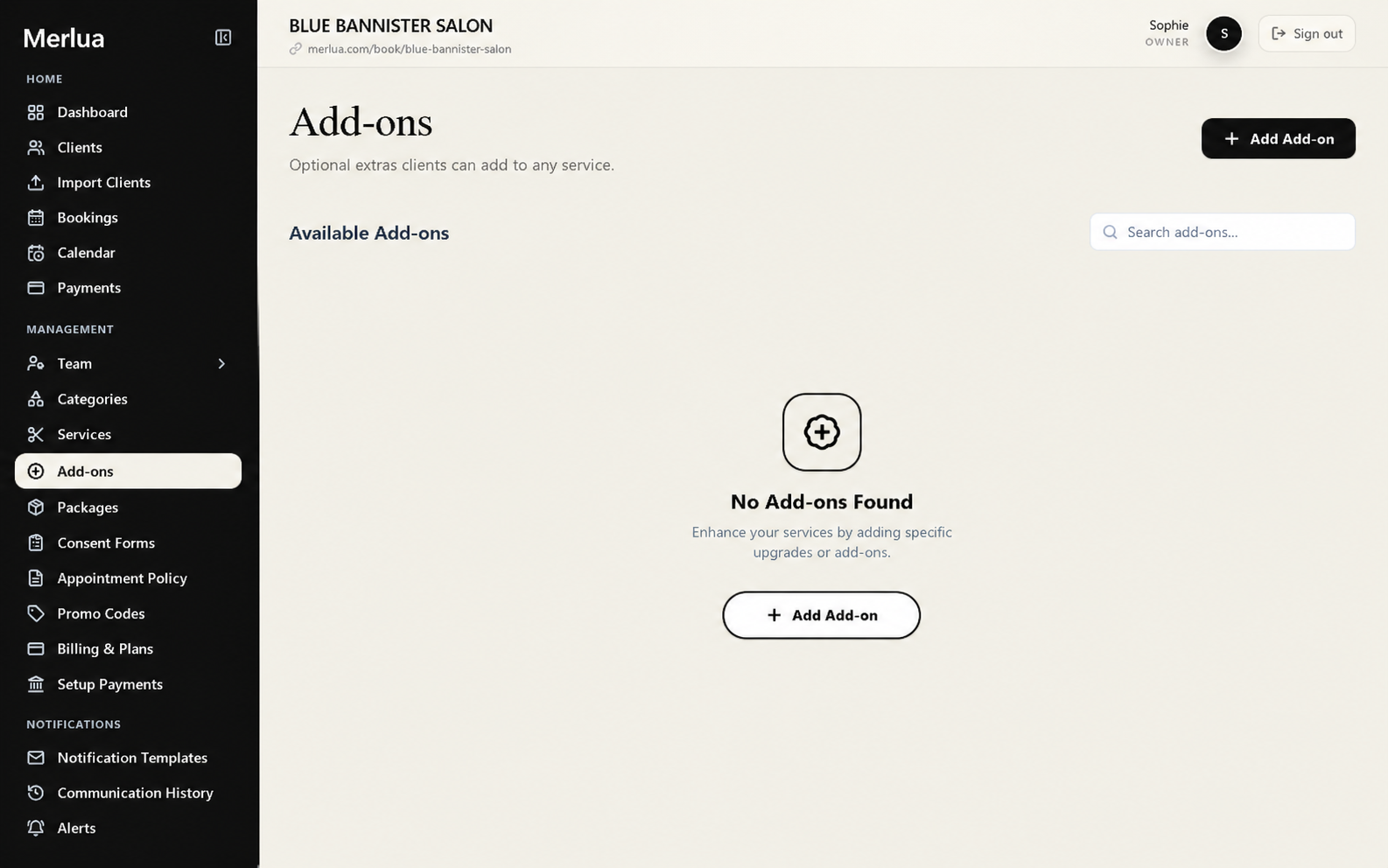
From the Merlua dashboard, go to Add-ons under the Management section.
Step 2: Create a New Add-On
Select Add Add-On to create a new option.

Enter the details for the add-on, such as:
- Add-on name
- Price
- Duration, if applicable
- Description
- Services the add-on can be used with
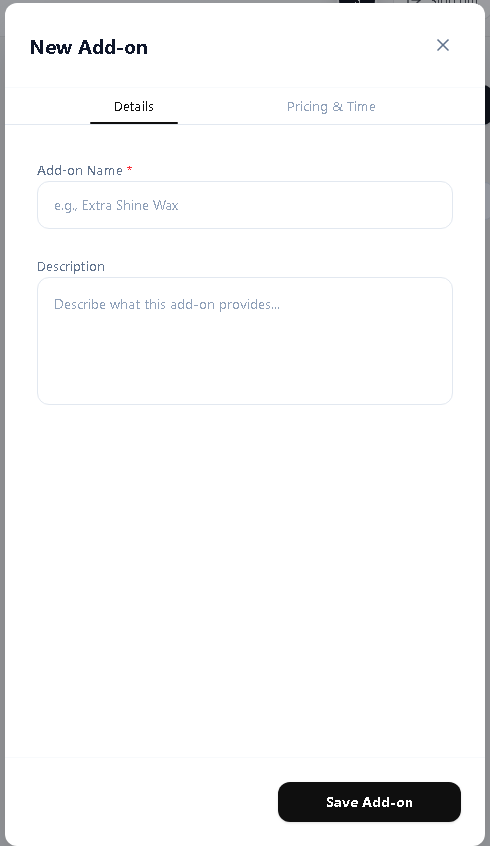
For example:
Gel Polish Upgrade
Add a gel polish finish to your nail service.
Price: $15
Step 3: Link the Add-On to Services
Choose which services can include the add-on. For example, you may link Gel Polish Upgrade to:
- Classic Manicure
- Russian Manicure
- Gel Manicure
This ensures the add-on only appears when it is relevant to the client's selected service.
Step 4: Save the Add-On
Review the information and select Save. The add-on can now be offered alongside the services you've linked it to.
Creating a Package
Packages allow you to group multiple services together and offer them as a single booking option.
Step 1: Open Packages
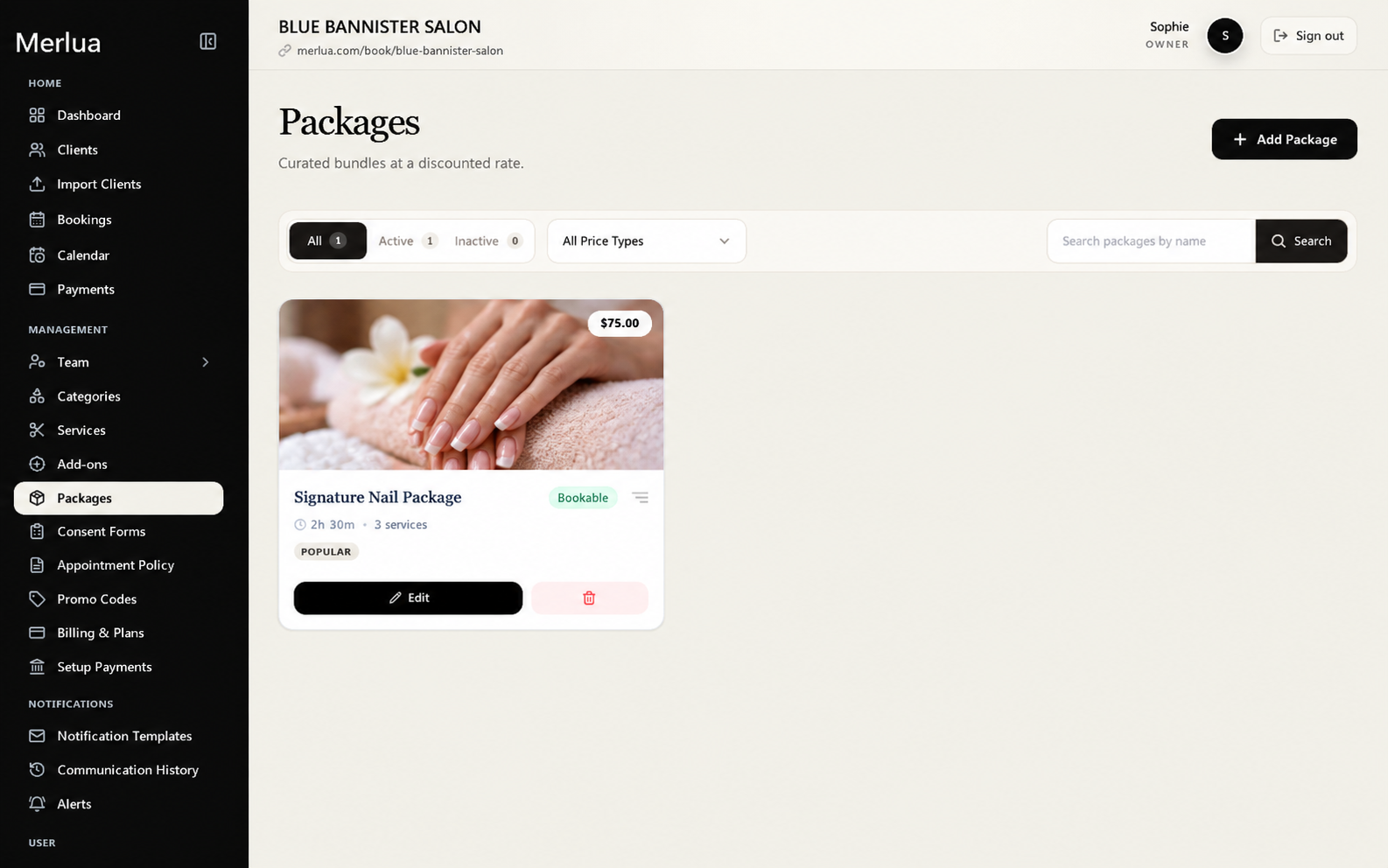
From the dashboard, select Packages under Management.
Step 2: Create a Package
Select Add Package.
Enter the package details, including:
- Package name
- Description
- Price
- The services included in the package
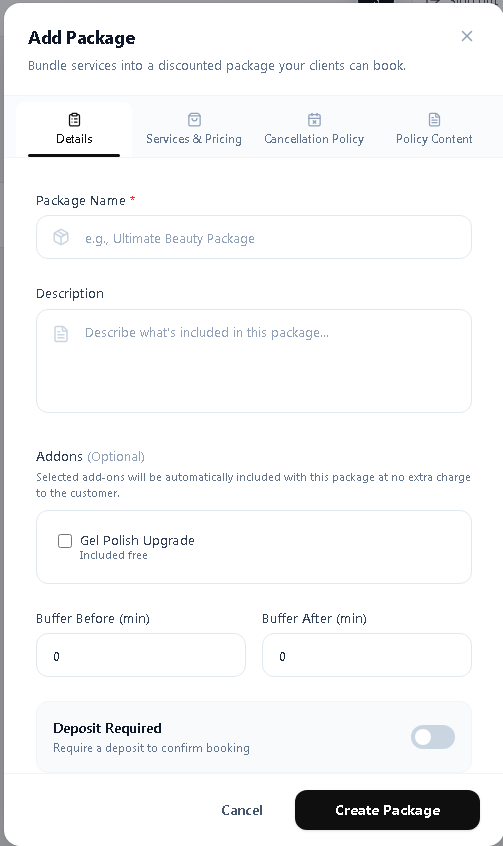
For example:
Bridal Beauty Package
- Full Set of Lashes
- Brow Shaping
- Gel Manicure
Step 3: Add Services to the Package
Select the services you want to include. Make sure each service has already been created under Services before adding it to a package.
Review the selected services and their individual prices before setting the package price.
Step 4: Set the Package Price
Choose the price clients will pay for the complete package.
Individual services: $180
Package price: $150
This allows you to offer multiple services together at a special package price.
Step 5: Save the Package
Review the package details and select Save. Your package is now available to be offered as a single booking option.
Add-Ons vs. Packages
The two features serve different purposes.
Add-ons are optional extras added to an individual service.
Packages combine multiple services into one bundled offering.
For example, a client could book a Gel Manicure and add a Nail Art Add-On, while a Bridal Beauty Package could include a manicure, brows, and lashes together.
Helpful Tip
Keep your add-ons relevant to the services they are attached to, and use packages when you want to create a complete treatment or special bundle.